


Spoke (Circuit) Route Planner
4.53.37K Reviews
App Specs
- Version
- 3.68.12-16
- Updated On
- License
- Free
- Downloads
- 10,000,000+
- Developer
- Circuit Routing Limited
- Categories
- Maps & Navigation
- Platform
- Android, iOS
Screenshots
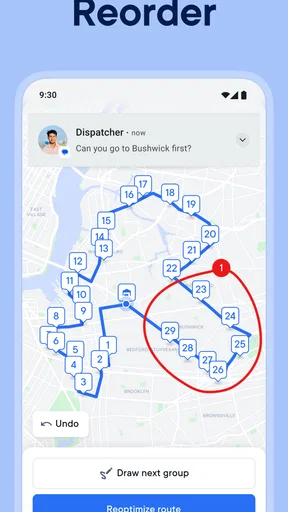
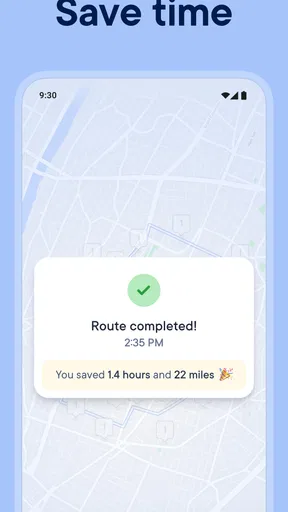
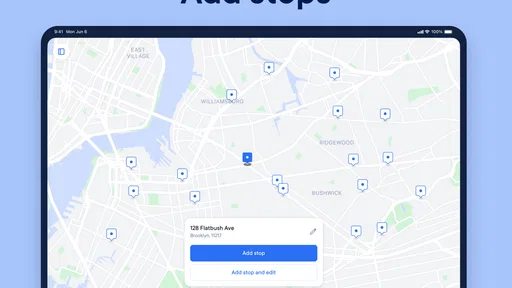
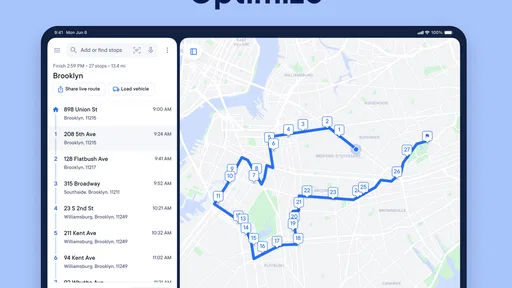
 Analysis by AppCompare
When I look at Spoke today, I see a route-planning app aimed at people who need to visit several places in one working day, not a general-purpose map trying to do everything. That distinction matters: a familiar navigation app is usually enough for a simple trip from A to B, while a planned sequence of deliveries, appointments, or errands creates a different problem. Spoke focuses on organizing that sequence before you set off, then helping you navigate between stops.
The app is made by Circuit Routing Limited and has grown into a well-established option in Maps & Navigation, with more than 10 million installs and an average rating of 4.5 from roughly 177,000 ratings. It is free to download, though in-app purchases range from $1.49 to $209.99 per item. The current version is 3.62.1, and it is rated for Everyone. Those details make it easy to try, but the best reason to keep it is practical: it can reduce the mental work involved in deciding what order to visit a long list of stops.
What route planning changes in a busy day
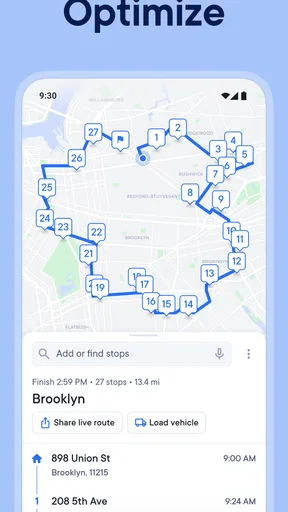
The real payoff is not simply seeing a route on a screen. It is being able to collect stops, have the app arrange them into a more workable order, and then follow that plan while moving through the day. For a courier, that can mean less time second-guessing the next address. For a salesperson, it can make a day of appointments feel more organized. For someone with a string of errands, it can turn a scattered list into a route that is easier to follow.
I find this kind of tool most useful when the stops are numerous enough that planning by instinct becomes unreliable. With only two destinations, opening a regular navigation app is usually quicker. Once the list grows, though, the cost of choosing a poor order adds up in extra turns, backtracking, and attention spent reconsidering the plan. Spoke’s central job is to take that ordering decision off your hands.
How the app fits into the navigation landscape
Spoke sits between a basic maps app and a more involved dispatch or fleet-management system. Standard navigation apps are excellent when I already know where I am going next, and they are often the simplest choice for a single journey. Spoke is more relevant when I have many destinations and want help structuring the whole run before navigating to each one. That is a meaningful difference, not a reason to replace every map app on your phone.
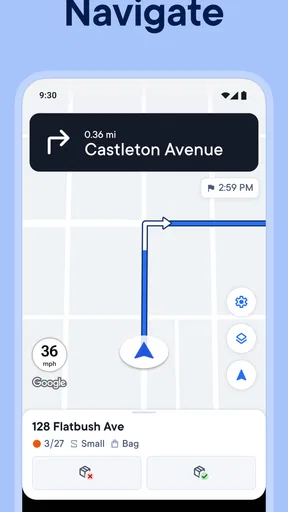
It also helps to think of route optimization as a planning aid rather than a promise that every trip will be perfect. Traffic changes, a customer may not be ready, and a stop may take longer than expected. A suggested order gives me a sensible starting plan; I still need to use judgment when the day changes. The app’s connection with Google Maps makes the handoff to turn-by-turn guidance familiar, while keeping the multi-stop planning task at the center.
Small planning choices that can improve the result
For a workday with appointments, I would enter any stops with fixed arrival windows before building the rest of the route. That gives the schedule a real constraint to work around instead of treating every destination as equally flexible. I would also check the final stop order before leaving, especially if I know one location has limited access or a preferred arrival time. Optimization can arrange destinations, but local knowledge still matters.
Worth Reading Before You Choose

Flipboard Shows What News Apps Must Do Beyond the Feed

Switching to Android Auto Means Rethinking Your Driving Routine

Google Calendar Makes a Crowded Week Easier to Manage

Ludo King Makes the Most of the Minutes Between Plans

Baby Panda World Brings Quick Play to Modern Phones, but Its Game Library Feels Busy

ESPN’s Live Game View Makes Following Close Games Easier
A useful habit is to separate planning from navigation. First, make sure the stops are correct and the sequence fits the commitments of the day. Then start driving directions for the next leg and keep an eye on whether delays make the rest of the plan unrealistic. That simple check can prevent a tidy-looking route from becoming a rigid schedule that no longer matches what is happening on the road.
Where expectations should stay realistic
Spoke’s biggest limitation is also a general challenge for route planners: the quality of a suggested journey depends on the quality of the map and conditions around each stop. The published experience can be less dependable in rural areas, where map details may lag behind reality. I would be particularly careful with unfamiliar rural addresses, private entrances, or destinations where a small access-road mistake could cost significant time. Confirming the final approach with local signs or another map view is a sensible backup.
There is also a trade-off in using any optimized route: the best sequence on paper may not match personal priorities that are hard to express as a stop location. Perhaps I want to finish near home, avoid a difficult left turn, or leave a flexible visit until later. In those cases, I would treat the proposed order as a draft and adjust my plan around what matters most. A route planner can reduce repetitive decisions, but it cannot know every preference behind them.
Who is likely to get the most from it
I would recommend Spoke to people who regularly have several stops to complete, particularly delivery drivers, field sales workers, and anyone whose day depends on moving between appointments. It is also useful for occasional heavy-errand days, such as collecting supplies from several places before heading to a job. The more destinations I have to coordinate, the more valuable it becomes to plan their order in one place rather than repeatedly entering the next address from scratch.
On the other hand, if I mostly take familiar trips, commute to one destination, or prefer choosing each turn and stop manually, a standard navigation app is likely to feel simpler. Someone managing a large team or needing detailed operational oversight may also need a broader business tool than a personal route planner. Spoke is strongest when the central task is arranging and navigating a multi-stop day; it is not automatically the best fit for every kind of driving.
For version context, the app’s release history begins on October 26, 2016, and the current build is 3.62.1. That history shows this is a product that has continued to evolve, but I would not assume a particular new capability from a version number alone. For existing users, the practical question is whether the current build still suits the way they plan routes, especially if their work has changed from a few appointments to a larger, more time-sensitive sequence.
If you are deciding whether to try it, the straightforward answer is that downloading it is free, while some in-app purchases are available. I would start by testing it on a real route with stops you already know, then compare the proposed order with the one you would normally choose. That gives you a useful sense of whether its planning approach fits your habits before you depend on it for a tight work schedule.
Hey there! So, I recently got my hands on the Spoke (Circuit) Route Planner app, and let me tell you, it’s quite a nifty tool for anyone who spends their days hopping from one place to another. I figured I’d give you the lowdown on my experience using it.
First Impressions
When I first fired up the app, I was greeted by a clean and intuitive interface. The design is super user-friendly, which is a big deal for me because who has time to fiddle around with complicated settings, right? The app just gets straight to the point.
Getting Started
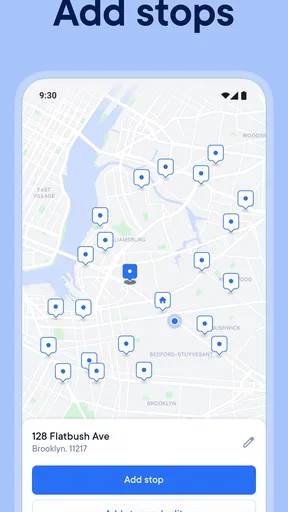
Setting up my first route was a breeze. You simply input your stops, and the app does its magic. It optimizes the order of your stops so you’re not wasting time or gas. I mean, who wouldn’t love saving a few bucks on fuel? Spoke (Circuit) Route Planner does just that.
Oh, and I should mention: it integrates with Google Maps. This means you’re not just stuck with a static list of directions; you get real-time navigation. Sweet, right?
Features that Stand Out
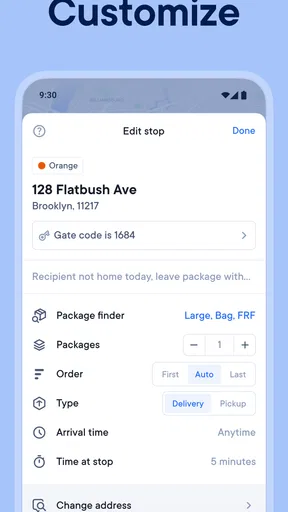
One of the features I found super helpful is the ability to set time windows for each stop. If you’re someone who needs to be at a specific place at a specific time, this is golden. The app adjusts your schedule accordingly to make sure you’re hitting those windows.
Another thing I loved is the route optimization. It’s not just about the fastest route; it also considers traffic conditions. This is perfect for avoiding those pesky traffic jams. I’ve definitely cut down on my travel time since using the app.
“I feel like a pro navigator with this app. It’s like having a personal assistant that keeps me on track!”
Who’s It For?
If you’re a delivery driver, sales rep, or just someone who’s always on the go, this app’s got your back. It’s designed to make your life easier by taking the hassle out of planning your routes. Plus, it supports multiple routes, so you can plan your whole day in one go.
Room for Improvement
Now, no app is perfect, and this one’s no exception. While the app works like a charm most of the time, I did notice that it occasionally struggles with very rural areas. The map data isn’t always up-to-date in those places, but honestly, that’s a common issue with most navigation apps.
Wrapping It Up
All in all, the Spoke (Circuit) Route Planner has been a game changer for me. It’s efficient, reliable, and saves me both time and money. Whether you’re a professional who needs precise planning or just someone who loves to be organized, I’d say give it a shot. You might find yourself wondering how you ever managed without it!
So, what are you waiting for? Get out there, plan your routes, and make the most of your day!
Pros
- Intuitive interface for easy navigation.
- Real-time traffic updates and alerts.
- Customizable route options available.
- Supports multi-stop route planning.
- Integrates with calendar apps seamlessly.
Cons
- Limited offline functionality.
- Ads can be intrusive at times.
- Battery consumption is relatively high.
- Occasional glitches in route recalculation.
- Requires constant internet connection.
FAQs for Spoke (Circuit) Route Planner
What is Spoke (Circuit) Route Planner and how does it work?
Spoke (Circuit) Route Planner is a navigation app designed to optimize routes for deliveries or travel. It uses advanced algorithms to suggest the most efficient paths, saving time and fuel. Users input multiple destinations, and the app calculates the best order and directions. It’s especially useful for delivery drivers or anyone needing to visit multiple locations efficiently.
Is Spoke (Circuit) Route Planner available for both Android and iOS devices?
Yes, Spoke (Circuit) Route Planner is available for download on both Android and iOS platforms. You can find it on the Google Play Store for Android devices and the Apple App Store for iOS devices. It offers a consistent user experience across both platforms, ensuring seamless navigation regardless of the device you use.
Does Spoke (Circuit) Route Planner require an internet connection to function?
While Spoke (Circuit) Route Planner does require an internet connection for initial route calculations and updates, it also offers offline capabilities. Once a route is planned, maps and directions can be saved for offline use, ensuring navigation continues smoothly even in areas with poor connectivity.
Is there a cost associated with using Spoke (Circuit) Route Planner?
Spoke (Circuit) Route Planner offers both a free version and a premium subscription. The free version includes basic features and limited daily route planning. The premium version, available for a monthly or annual fee, provides additional features such as unlimited stops, advanced optimization, and priority support, catering to more demanding users.
How accurate is the Spoke (Circuit) Route Planner in terms of estimated arrival times?
The app provides highly accurate estimated arrival times by considering real-time traffic data, road conditions, and historical travel patterns. However, unexpected traffic incidents or changes in weather can affect timing. Regular updates ensure that users receive the most reliable information possible, but it's always wise to allow a buffer for unforeseen delays.


